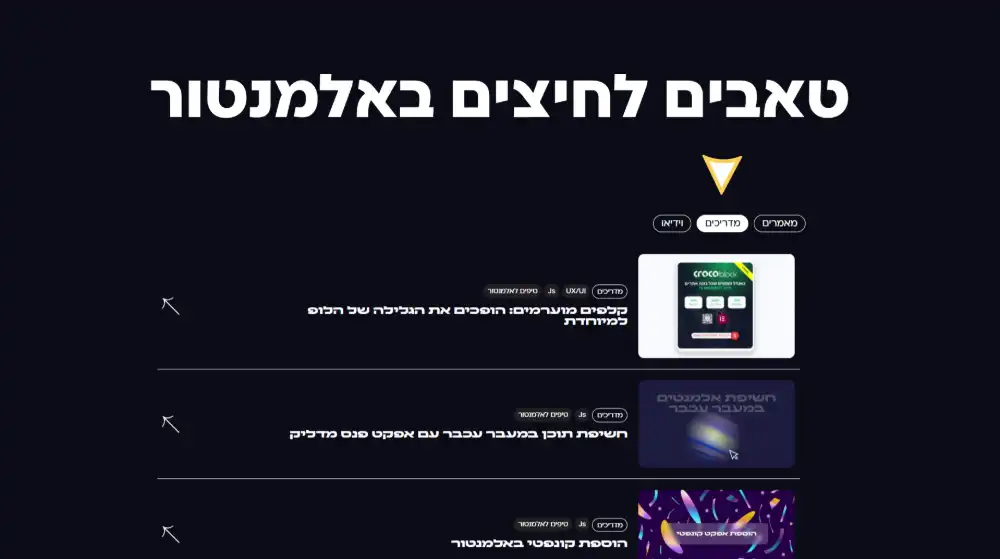
הקוד הזה מאפשר ליצור קישורים ישירים לטאבים ספציפיים באלמנטור. במקום שלקוחות יכנסו לעמוד ויצטרכו לחפש את הטאב הנכון, הם יכולים להיכנס ישירות למידע שהם צריכים דרך קישורים כמו yoursite.com/page?tab=video.
זה חוסך זמן, משפר את חווית המשתמש ומאפשר לשלוח קישורים ספציפיים במיילים, ברשתות חברתיות או בפרסומות שמובילים ישירות לתוכן הרלוונטי.
איך מתאימים את הקוד לאתר שלכם
כדי להתאים את הקוד לאתר שלכם, תחילה בדקו את השמות המדויקים של הטאבים באלמנטור. כנסו לעמוד עם הטאבים ורישמו בדיוק את השמות של כל טאב.
אחר כך מצאו את החלק הזה בקוד:
'הטאב הראשון שלך': 'tab1',
'הטאב השני שלך': 'tab2',
'הטאב השלישי שלך': 'tab3'
דוגמה לאחר התאמה:
'תיאור המוצר': 'description',
'מפרט טכני': 'specs',
'ביקורות': 'reviews'
והחליפו אותו בשמות הטאבים שלכם, תוכלו גם כמובן לשנות את הסלאג למשהוש שיתאים לשם הטאב, ותוכל כמובן להוסיף טאבים נוספים ע"י שכפול של השורה.
<script>
/**
 * Multiple Tabs URL Handler
 * Developed by Digitool| https://dgtool.co.il/
 */

(function() {
    // Configuration for tabs
    const tabConfig = {
    'הטאב הראשון שלך': 'tab1',
    'הטאב השני שלך': 'tab2',
    'הטאב השלישי שלך': 'tab3'
};

    // Wait for document to be ready
    if (document.readyState === 'loading') {
        document.addEventListener('DOMContentLoaded', initTabHandler);
    } else {
        initTabHandler();
    }

    function initTabHandler() {
        // Check if we need to activate a specific tab
        const urlParams = new URLSearchParams(window.location.search);
        const tabParam = urlParams.get('tab');

        // Set up tab click handlers
        setupTabHandlers();

        // If we need to activate a specific tab
        if (tabParam && Object.values(tabConfig).includes(tabParam)) {
            // Find which tab name corresponds to this parameter
            const tabNameToActivate = Object.keys(tabConfig).find(
                tabName => tabConfig[tabName] === tabParam
            );

            if (tabNameToActivate) {
                console.log(`Need to activate tab: ${tabNameToActivate}`);
                triggerTabWithMultipleStrategies(tabNameToActivate);
            }
        }
    }

    function setupTabHandlers() {
        // Tab selectors for Elementor
        const selectors = ['.e-n-tab-title', '.elementor-tab-title'];

        // Process each selector
        selectors.forEach(selector => {
            const tabs = document.querySelectorAll(selector);

            // Process each tab
            tabs.forEach(tab => {
                const tabText = tab.innerText.trim();

                // Remove any existing listeners first
                tab.removeEventListener('click', function(){});

                // Check if this tab is one we want to handle
                if (Object.keys(tabConfig).includes(tabText)) {
                    // Tab handler for tracked tabs
                    tab.addEventListener('click', function() {
                        const url = new URL(window.location);
                        url.searchParams.set('tab', tabConfig[tabText]);
                        history.pushState({}, '', url);
                        console.log(`Set URL parameter for ${tabText} tab`);
                    });
                } else {
                    // Other tab handler - remove the parameter
                    tab.addEventListener('click', function() {
                        const url = new URL(window.location);
                        if (url.searchParams.has('tab')) {
                            url.searchParams.delete('tab');
                            history.pushState({}, '', url);
                            console.log("Removed URL parameter for other tab");
                        }
                    });
                }
            });
        });
    }

    function triggerTabWithMultipleStrategies(tabName) {
        console.log(`Trying multiple strategies to activate ${tabName} tab`);

        // Strategy 1: Direct click with multiple attempts
        tryClickTab(tabName, 5);

        // Strategy 2: Look for the tab in specific parent containers
        setTimeout(() => {
            const containers = [
                '.elementor-tabs-wrapper',
                '.e-n-tabs-heading',
                '.elementor-widget-tabs',
                '.e-n-tabs'
            ];

            containers.forEach(container => {
                const wrapper = document.querySelector(container);
                if (wrapper) {
                    const tabs = Array.from(wrapper.querySelectorAll('*')).filter(
                        el => el.innerText && el.innerText.trim() === tabName
                    );

                    if (tabs.length > 0) {
                        console.log(`Found ${tabName} tab in container ${container}`, tabs[0]);
                        forceTabClick(tabs[0]);
                    }
                }
            });
        }, 300);

        // Strategy 3: Try to use Elementor's API or direct data attribute access
        setTimeout(() => {
            const tabElements = document.querySelectorAll('[data-tab]');
            tabElements.forEach(el => {
                if (el.innerText && el.innerText.trim() === tabName) {
                    console.log(`Found ${tabName} tab with data-tab attribute`, el);
                    forceTabClick(el);
                }
            });

            // Try to find tab by ID pattern
            const allElements = document.querySelectorAll('[id*="tab"]');
            allElements.forEach(el => {
                if (el.innerText && el.innerText.trim() === tabName) {
                    console.log(`Found ${tabName} tab by ID pattern`, el);
                    forceTabClick(el);
                }
            });
        }, 600);
    }

    // Try to click the specified tab multiple times
    function tryClickTab(tabName, attempts) {
        if (attempts <= 0) return;

        const selectors = ['.e-n-tab-title', '.elementor-tab-title'];
        let found = false;

        selectors.forEach(selector => {
            const tabs = document.querySelectorAll(selector);

            tabs.forEach(tab => {
                if (tab.innerText.trim() === tabName) {
                    found = true;
                    forceTabClick(tab);
                }
            });
        });

        if (!found && attempts > 1) {
            setTimeout(() => tryClickTab(tabName, attempts - 1), 200);
        }
    }

    // Force a click with both direct and programmatic methods
    function forceTabClick(element) {
        console.log("Force clicking:", element);

        // Method 1: Direct click
        element.click();

        // Method 2: Mouse event
        const clickEvent = new MouseEvent('click', {
            bubbles: true,
            cancelable: true,
            view: window
        });
        element.dispatchEvent(clickEvent);

        // Method 3: Touch event for mobile
        try {
            const touchStartEvent = new TouchEvent('touchstart', {
                bubbles: true,
                cancelable: true,
                view: window
            });
            element.dispatchEvent(touchStartEvent);

            const touchEndEvent = new TouchEvent('touchend', {
                bubbles: true,
                cancelable: true,
                view: window
            });
            element.dispatchEvent(touchEndEvent);
        } catch (e) {
            // TouchEvent might not be supported in all browsers
            console.log("Touch events not supported");
        }

        // Method 4: Try to activate parent if this is just a label
        if (element.parentElement) {
            setTimeout(() => element.parentElement.click(), 50);
        }
    }

    // Keep checking for tab changes to handle dynamic content
    setInterval(() => {
        setupTabHandlers();
    }, 2000);

    // Handle browser back/forward navigation
    window.addEventListener('popstate', function() {
        const urlParams = new URLSearchParams(window.location.search);
        const tabParam = urlParams.get('tab');

        if (tabParam && Object.values(tabConfig).includes(tabParam)) {
            const tabNameToActivate = Object.keys(tabConfig).find(
                tabName => tabConfig[tabName] === tabParam
            );

            if (tabNameToActivate) {
                triggerTabWithMultipleStrategies(tabNameToActivate);
            }
        }
    });
})();
</script>