יש לכם באתר לוגו שמתמזג עם רקעים מסוימים ונעלם ברקע? הכנתי מדריך על איך להגדיר תמונת לוגו שונה לפי אזור באתר!
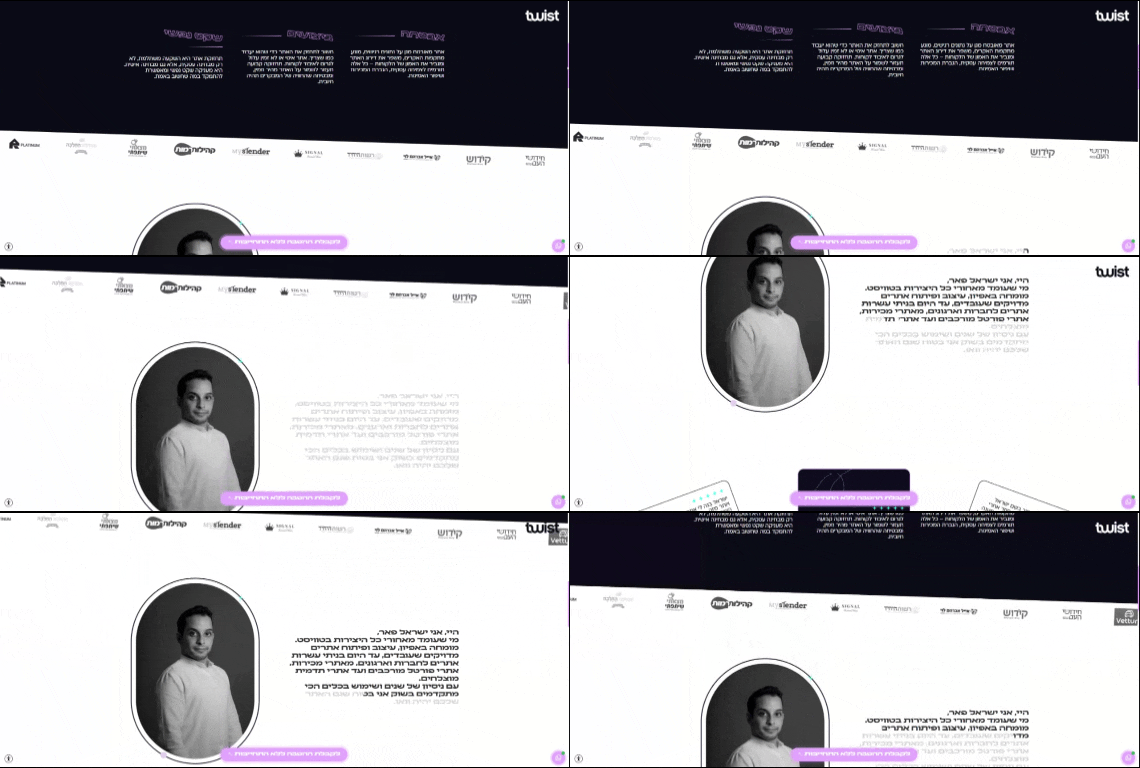
איך עושים את זה? שלבים פשוטים לביצוע:
- הוסיפו ווידג'ט תמונה עם הלוגו שלכם, ותתנו לו את הקלאס "change-logo" כמובן אל תשכחו להגדיר את המיקום שלי כמקובע שיגלל איתנו לאורך הדף.
- תנו קלאס "light-area" לקונטיינרים שבהם תרצו שהלוגו ישתנה.
- הטמיעו את הקוד בדפים הרלוונטים בדרך שנוחה לכם (אני הוספתי באמצעות מנהל הקודים של אלמנטור).
- בשורה 14 תצטרכו לשנות את הלינק של התמונה הקיימת עם הלינק של הלוגו שלכם (פשוט העתיקו את הלינק מהמדיה)

JavaScript
/*this code develop by dgtool.co.il*/
<script>
document.addEventListener('DOMContentLoaded', function() {
    // Try to find the logo in multiple possible ways
    const logoContainer = document.querySelector('.change-logo');
    const logo = logoContainer ? logoContainer.querySelector('img') || logoContainer : document.querySelector('.change-logo img');

    if (!logo) {
        console.error('Logo not found!');
        return;
    }

    // Get original logo from the widget and set the dark logo path
    const whiteLogo = logo.tagName === 'IMG' ? logo.src : logo.querySelector('img')?.src;
    const blackLogo = '/wp-content/uploads/2024/11/logo-1.png';   // change the path to the dark logo

    function updateLogo() {
        // Find the element to change
        const targetElement = logo.tagName === 'IMG' ? logo : logo.querySelector('img');

        if (!targetElement) {
            return;
        }

        const logoRect = logo.getBoundingClientRect();
        const lightAreas = document.querySelectorAll('.light-area');
        let isOverLightArea = false;

        lightAreas.forEach(area => {
            const areaRect = area.getBoundingClientRect();
            if (
                logoRect.top <= areaRect.bottom &&
                logoRect.bottom >= areaRect.top &&
                logoRect.left <= areaRect.right &&
                logoRect.right >= areaRect.left
            ) {
                isOverLightArea = true;
            }
        });

        // Switch logo based on position
        if (isOverLightArea) {
            targetElement.src = blackLogo;
        } else {
            targetElement.src = whiteLogo;
        }
    }

    // Run check on scroll
    document.addEventListener('scroll', updateLogo);

    // Initial check
    updateLogo();
});
</script>
זה הכל, ככה תשפרו את החווית משתמש באתר שלכם או של הלקוחות שלכם.
רוצים לשנות צבע לאייקון? הנה המדריך לזה