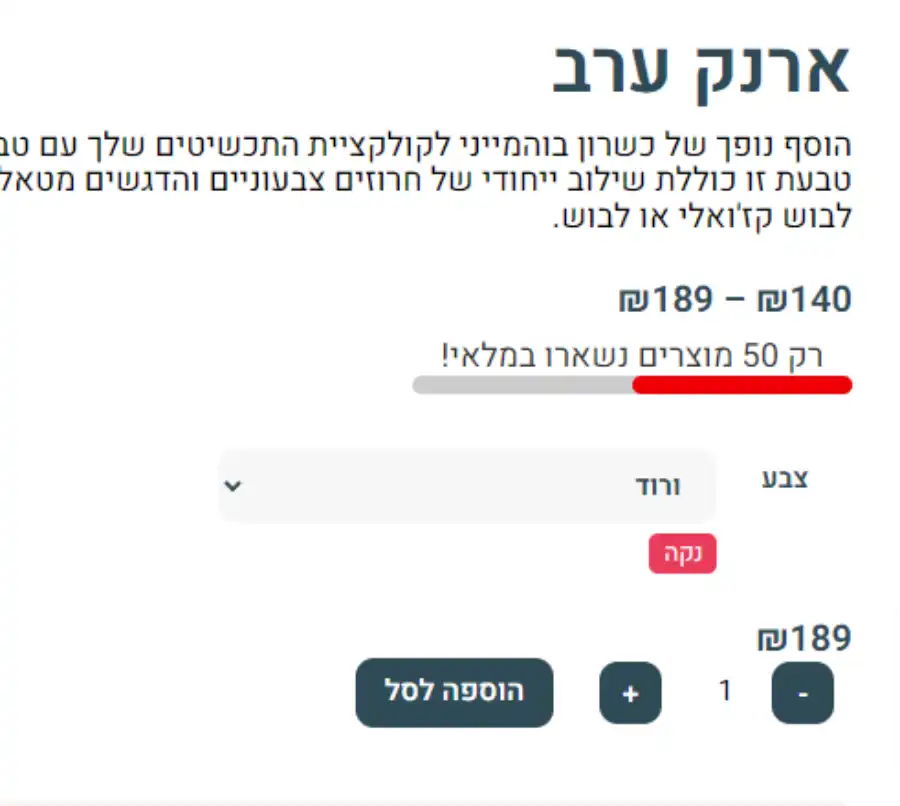
הוספת בר התקדמות לכמות המוצרים שנשארו במלאי, שימו לב שכמות המוצרים מחושבת לפי 100 מוצרים בברירת מחדל (לדוגמא בתמונה נשארו 50 מוצרים מתוך 100), במידה ואתם חנות עם מלאי מוצרים גדול תוכלו לשנות את מספר ברירת המחדל בשורה מספר 8
PHP
//WooCommerce Stock Status Progress Bar
add_action('woocommerce_before_add_to_cart_form', 'ecommercehints_stock_status_progress_bar', 10, 0);
function ecommercehints_stock_status_progress_bar() {
    global $product;
    if (!$product->managing_stock()) return; // Don't show the progress bar if stock isn't being managed
    $stock_quantity = $product->get_stock_quantity();
    $max_progress = 100; // Maximum progress value (adjust this as needed)

    echo '<style>
        .progress-bar-container {
            width: 240px;
            text-align: center;
            margin-bottom: 20px;
        }

        .progress-bar {
            width: 100%;
            height: 10px;
            background-color: #ccc;
            border-radius: 100px;
        }

        .progress-indicator {
            height: 100%;
            background-color: #ED0006;
            border-radius: 100px;
        }
    </style>';

    $progress = min($stock_quantity / $max_progress * 100, 100); // Calculate the progress value

    echo '<div class="progress-bar-container">
        <div class="progress-text">רק ' . $stock_quantity . ' מוצרים נשארו במלאי!</div>
        <div class="progress-bar">
            <div class="progress-indicator" style="width: ' . $progress . '%;"></div>
        </div>
    </div>';
}